
Samsung Galaxy S3 and Microsoft Office 365 connection problem

On June 22, 2012 by admin

Recently we have been seeing issues with the Samsung Galaxy S3 connecting to Office 365 and in certain cases, On premise Exchange 2010.

Problem:
Samsung Galaxy S3 cannot connect to Mail using WiFi but can connect using 3G:

The first time you set-up the email, it seems to work  fine but minutes later all communications cease. In some cases all HTTPS (secure) traffic goes down too. To cut a long boring story short we have found that the Policies in place on the Exchange are causing this issue. The fix is relatively simple and you should have your devices up and running in no time… (Don’t you love theory, in practice it may be longer)

Solution:

Step one: 

  • Open your Office 365 tenant portal.
  • Open the Exchange Settings.
  • Click on Phone & Voice.
  • Select the Active Sync Device Policy.
  • Edit the Device Policy that the affected users belong too.
  • Under the General tab there will be an option “Allow devices that don’t fully support these policies to synchronise” Make sure you tick (enable) this feature.
  • Save and close.

Step Two:

Here you have a few options.

  1. Disconnect the Wifi and use mobile data to connect. Then wait for the updated security settings to be pushed to your phone.
  2. Remove the account from the phone, reboot and then re-add the account.
  3. In some cases you will need to remove the Active Sync account, Then go into Settings, Security, Device Administrator and remove any admins. Then reboot and try adding again.

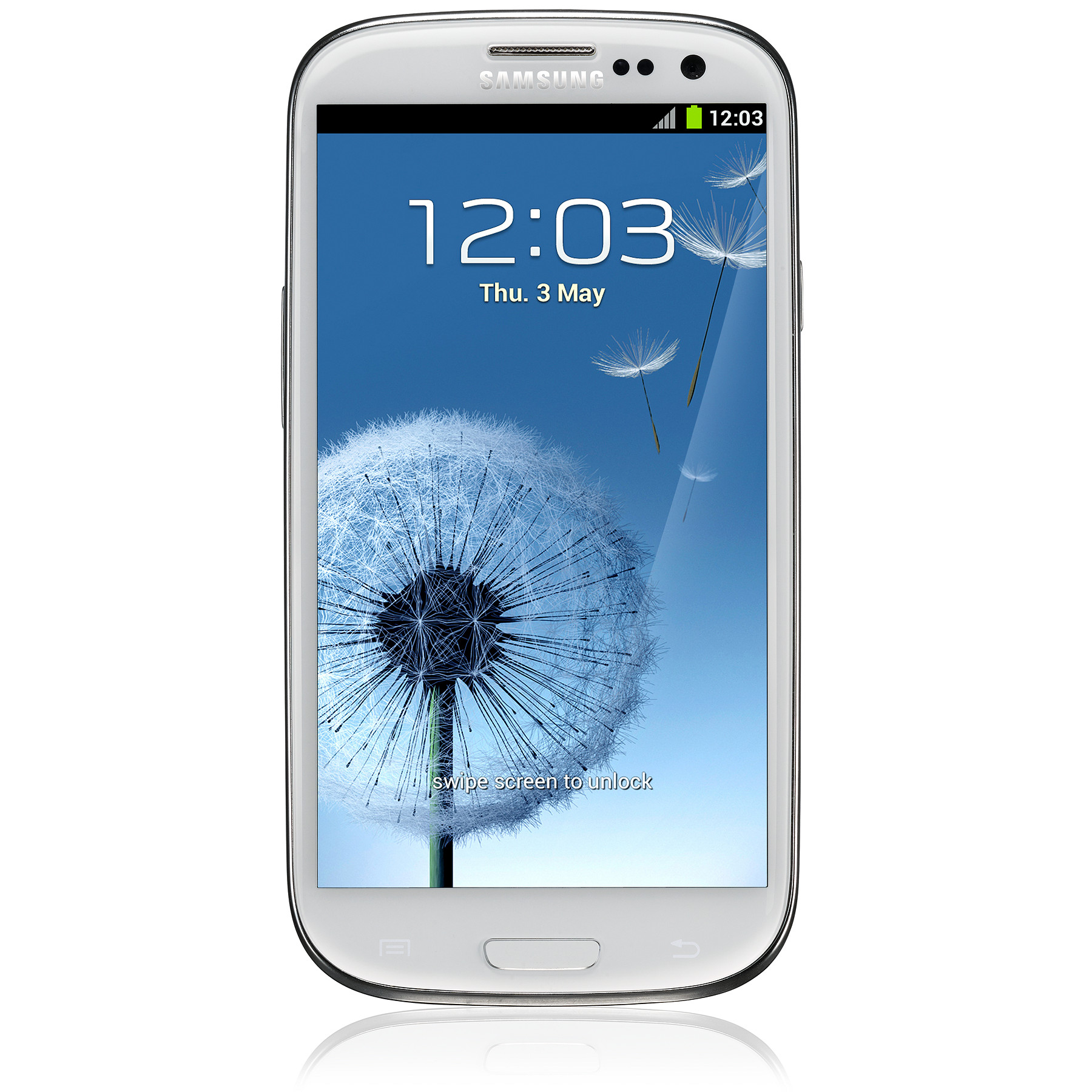
Samsung Galaxy S3 GT-I9300MBDBTU (SIII)
UPDATE

Samsung have released a few updates since this issue was brought up. If you are having troubles please do an update on your device, reset and try again. (I would recommend, reseting, do not add the Office 365 account, do the update, Reset again and then add the account)
You should be on the following version
Android 4.0.4
Kernel Version – 3.0.15-928452


16 Responses to “Samsung Galaxy S3 and Microsoft Office 365 connection problem”

  • Hi, I’ve been trying to make the default email app for the galaxy s3 to sync with my exchange account. I think it’s now working but some of my folders under my inbox is not showing up. When I open my account on the portal the phone’s access state is denied. But I can sync messages from my inbox but not from the folders within the inbox. Any help is greatly appreciated. Also, I can’t seem to find the exchange settings on my portal as well as the Click on Phone & Voice, ctive Sync Device Policy, etc. Where can I find those? Thanks again!

  • How to connected proxy setting in S3

  • Thanks so much for posting this. I was able to get my SIII working after following the above directions.

    To ensure that things worked properly, I rebooted the device, enabled wi-fi, sent myself an email to my O365 account from a different account and verified it worked.

    I then went a step further, and went into airplane mode, re-enabled wifi, and repeated the test email process to my O365 account.

    End result is that I can send and receive emails over wi-fi only to my O365 work account with no issues. Re-enabling cellular data again didn’t break anything, so life is currently, “like a box of chocolates.”

    Which, I’m sharing with you in gratitude for your post. :-)

    Take Care,
    Shawn

  • Tried your advice to the word and it didnt work… ive tried everything and am about to go back to an i phone that ‘just seem to work’ any other ideas …I am still getting messages every other minute

    • Hi Jason
      Samsung have just released an update fixing all sorts of these issues including the WiFi dropping out. Run the update by going to “Settings”, “About Device”, “Software Update”.
      Then reset your phone and try again. If it still fails after that let me know more details. Does it fail on Wifi and Cellular Data? What Build is your phone running, Android 4.0.4 etc
      Thanks

  • I have the same problem, I have tried everything (deleting the account from my phone, deleting all admins, deleting the phone from the actysync, using only wi-fi, only cellular data, using both. I am running the latest update. Android 4.0.4.

    I dont really know what to do next.

  • Samsung have released another Patch today and it “MAY” include a fix for the email!!! lets hope.

  • I have my own Galaxy S3. It was working nice. But after sometime it used to create some problem in wifi connection, Was not working. I had checked my router setting also but the problem was in handset. But now I am glad to say that i got a solution which worked great for me at http://howmobile.net/samsung/2291-wifi-problem-galaxy-s3.html and I got a strong feeling that I should also contribute from my side to help people Who having the same problem I had. Hope The given procedure will work.
    Thanks!

  • exchange server name problem in samsung galaxy s3 mobile phone…..

  • Ok so I’ve have the same problem as all of you. I have an GS3 and it wont connect to my Exchange 2010 backend. Android version 4.0.4 kernal 3.0.8. There are iphones which connect without an issue…GS2 which connects without issue…if even found another GS3 within our environment which at first didn’t sync but once the user received the prompt to accept the administrator control to remotely erase data and other conditions the phone began to sync. My phone never displays that “Administrator Prompt”…the other phone is the same android version..same Kernal…yet my phone = no administrator prompt…the other phone = administrator prompt then sync…i even called Samsung for trouble shooting…they walked me through some basic steps of resetting to factory defaults then trying again…the steps listed in this post does not help my situation…so for me i believe the key is determining the source of the administrator prompt and perhaps activating it on my phone. Does anyone else knows about this ?

    • Obrian – You could always try force the Android Jelly Bean upgrade by following this post… http://www.ihateolives.com/samsung-galaxy-s3-and-the-jelly-bean-stalker/#more-623 Runs beautifully on his phone, we did some camera comparison tests together recently, it also fixed his 365 issue?

      • I’m a little hesitant to upgrade the OS or firmware on the phone and then run the risk of voiding the warranty or worse turning it into an instant paper weight. Ive called my carrier and they suggest i try placing my SIM within another phone and try the adding the email account. If it works then i can arrange for a replacement. Sounds good i suppose but it doesn’t identify the issue. I will post my results.

  • hello!,I love your writing very so much! share we keep in touch extra about your article on AOL? I require a specialist on this house to resolve my problem. Maybe that is you! Taking a look ahead to peer you.

  • Hi, i believe that i saw you visited my site thus i got here to return the prefer?.I’m attempting to in finding issues to improve my web site!I guess its ok to use some of your concepts!!

  • Hello, I just subscribed to Office365 for my law-firm. As you can imagine, connecting my GalaxySIII to Exchange is vital. I should say that I got my GalaxySIII a few days after the subscription to Office365 went live, so my phone is brand new. Unfortunately there is no way to make my phone interface properly with ActiveSync. In fact, it synchronizes every now and then, it seems quite randomnly, but most often it cannot connect. I have tried to fix this with the assistance of MSF’s partners but they seem to have no idea, and even MSF support does not respond. I think they even followed the suggestions in this forum. This is quite a disappointing behaviour and certainly not customer friendly. However, I am afraid I threw 700 euros (price of my galaxy) out of the window if I cannot use my Galaxy. We also tried connecting to IMAP or using the TouchDown app. ANY IDEA??????

  • I found another software, recommended to me by a friend:

    http://nitrodesk.com/purchase/

    called ‘touchdown’ works perfectly.

Leave a Reply

Your email address will not be published. Required fields are marked *


× two = 8

You may use these HTML tags and attributes: <a href="" title=""> <abbr title=""> <acronym title=""> <b> <blockquote cite=""> <cite> <code> <del datetime=""> <em> <i> <q cite=""> <strike> <strong>